Getting your electricity bill on time can be a real headache sometimes. Maybe the courier lost it, or perhaps you just want to check how much you owe before the paper bill even arrives. In 2026, checking your IESCO Bill has become incredibly simple. You no longer have to visit the local office or wait for the postman to knock. Whether you are living in Islamabad, Rawalpindi, Attock, or Jhelum, you can easily check the IESCO bill online within seconds. This guide will walk you through the simplest ways to find your bill using just your 14-digit reference number or consumer ID.
Table of Contents
How to Check the IESCO Bill Online 2026
Let’s be honest, nobody likes standing in long queues just to get a duplicate copy of their bill. The Islamabad Electric Supply Company (IESCO) has made its web portal very user-friendly. Here is how you can do it yourself:
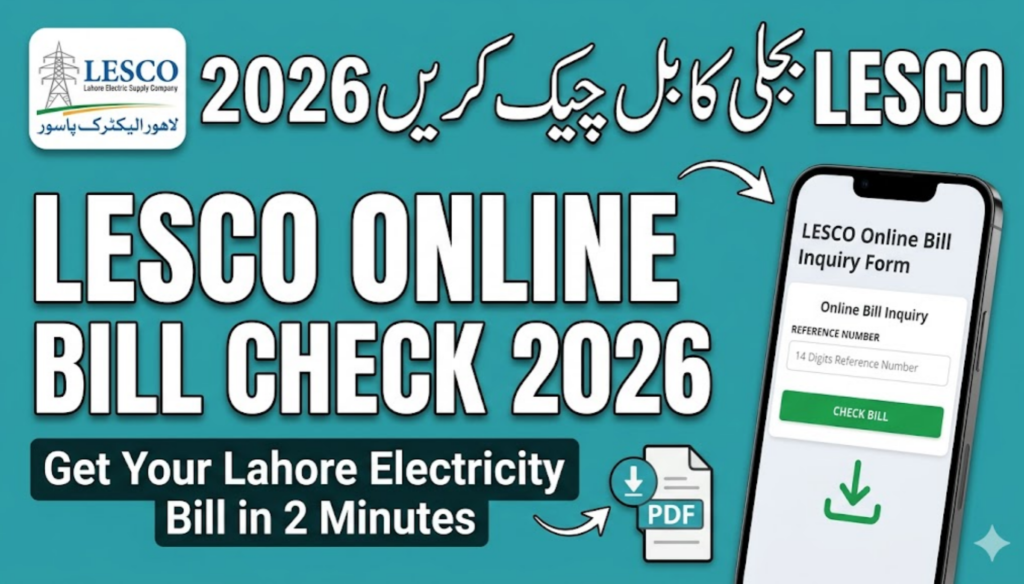
- Find Your Reference Number: Grab an old bill. Look for a 14-digit number (usually located in a box on the top left or right). This is your unique ID.
- Visit the Official Portal: Go to the official IESCO website https://www.iesco.com.pk/ or a trusted bill checking service.
- Enter the Details: Type in your 14-digit reference number. Make sure there are no spaces or extra characters.
- View and Download: Click on the ‘Search’ or ‘View Bill’ button. Your full bill will appear on the screen. You can save it as a PDF or take a screenshot for your records.
Understanding Your IESCO Bill Components
Sometimes the bill looks like a bunch of random numbers and taxes. It’s good to know what you’re actually paying for. Here’s a quick breakdown of the common terms you’ll see on your 2026 bill.
| Term | Description | Why it Matters |
| Reference Number | A unique 14-digit identifier for your connection. | Used for all online bill checks and payments. |
| Consumer ID | A 10-digit number often used in banking apps. | Essential for mobile payments like JazzCash/Easypaisa. |
| Fuel Price Adjustment | Charges based on the fluctuating cost of fuel. | This is why your bill might change even if usage is the same. |
Quick Ways to Pay Your IESCO Bill in 2026
Gone are the days when you had to carry cash to the bank. Now, you can pay from your couch. Most people in Pakistan now prefer using mobile wallets or banking apps.
- Mobile Wallets: Easypaisa and JazzCash are the fastest. Just go to ‘Bill Payment’, select ‘Electricity’, then ‘IESCO’, and enter your reference number.
- Banking Apps: Almost every bank (HBL, UBL, Meezan, etc.) has an option to pay utility bills.
- TCS/Post Office: If you still prefer the traditional way, you can take a printout of your online bill to any TCS center or Post Office.
Common Problems and Easy Fixes
Sometimes the website might not load, or it says “Reference Number Not Found.” Don’t panic. This usually happens during the first few days of the month when everyone is trying to check their bills at the same time. If the server is busy, just wait an hour and try again. Also, double-check that you haven’t confused a ‘0’ (zero) with an ‘O’ (letter).
Why Should You Check Your Bill Online?
Aside from the obvious convenience, checking your bill online early helps you manage your monthly budget. In 2026, with electricity prices being a bit unpredictable, knowing your “units consumed” before the due date can help you save on late surcharges. Plus, if there’s a mistake in your reading, you have more time to contact the IESCO helpline and get it fixed.
Frequently Asked Questions (FAQs)
1. Can I check my IESCO bill by CNIC or Name?
Currently, the official IESCO system primarily uses the 14-digit reference number. While some third-party apps claim to search by CNIC, the reference number is the most accurate and reliable way to get your current bill.
2. What are the “Peak Hours” for IESCO in 2026?
Peak hours usually vary by season. In summer, they are typically from 6:00 PM to 10:00 PM. Using heavy appliances (like ACs or pumps) during these hours will cost you more per unit, so try to avoid them!
3. I lost my reference number, how can I find it?
If you don’t have an old bill, you can check your SMS history (if you’ve registered your mobile number with IESCO) or visit the nearest IESCO Customer Service Center with your CNIC and address to retrieve it.
4. How can I receive my bill via SMS?
You can register your mobile number by sending “REG [Space] 14-digit Reference Number” to 8118. This way, you’ll get your bill summary directly on your phone every month.